In one minute
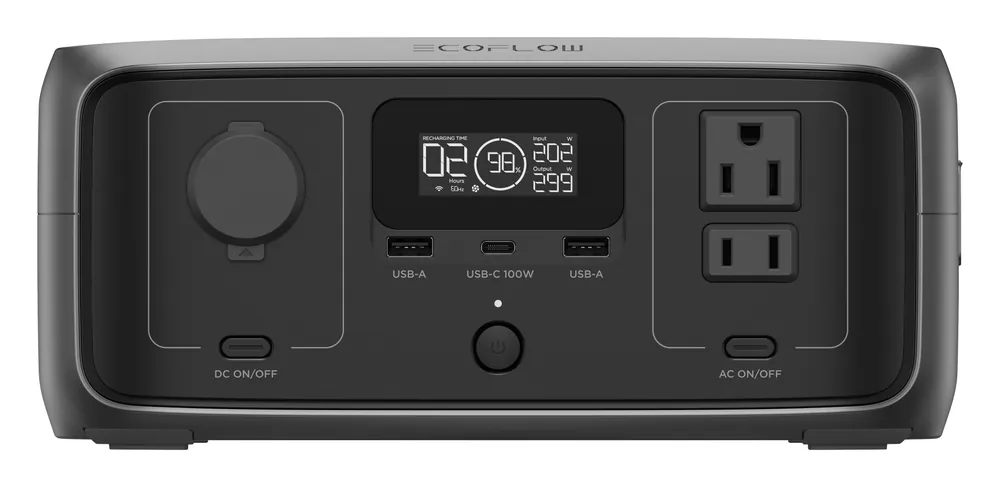
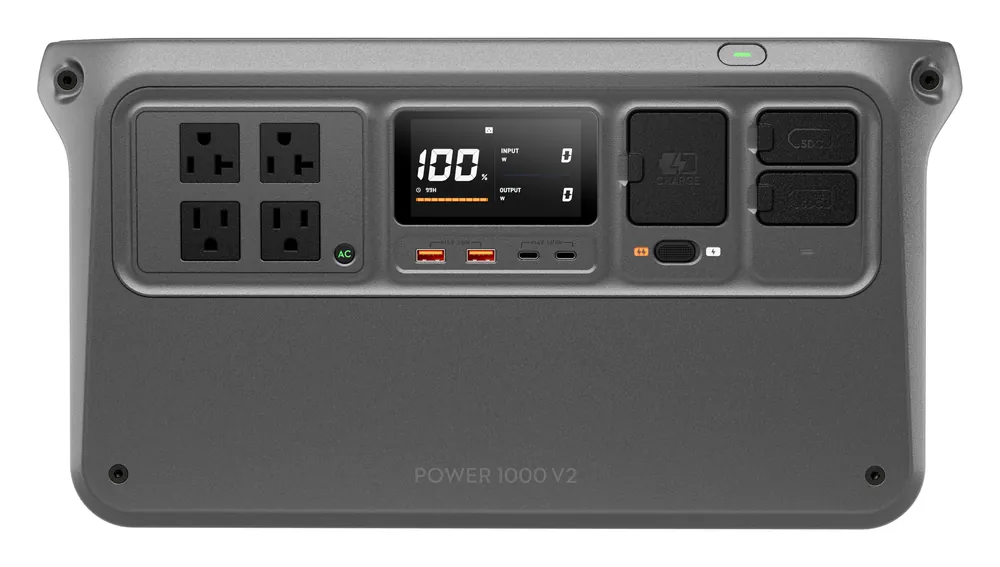
This guide explains how to charge the EcoFlow RIVER 3 (base model), EcoFlow DELTA 3 Plus, and DJI Power 1000 V2 from solar panels using only information published by the manufacturers. Specs come from official product pages, user manuals, and support documents. Real-world charge times depend on sunlight, temperature, and panel setup, as noted in the manufacturers’ footnotes.
As an Amazon Associate I earn from qualifying purchases. The Amazon buttons on this page are affiliate links.
Official Models Covered
- EcoFlow RIVER 3 (base): Model EFR705. Capacity 245 Wh. This is separate from the RIVER 3 Plus.
- EcoFlow DELTA 3 Plus: Model EF-DL-H10-4. Capacity 1024 Wh. This is separate from DELTA 3, DELTA 3 Classic, DELTA 3 Max, and DELTA Pro 3.
- DJI Power 1000 V2: Models DYM1000V2L (low-voltage / US-style) and DYM1000V2H. Capacity 1024 Wh. This is separate from the non-V2 Power 1000 and the Power 2000.
Key Solar Specs
| Spec | RIVER 3 (EFR705) | DELTA 3 Plus (EF-DL-H10-4) | DJI Power 1000 V2 (DYM1000V2L/H) |
|---|---|---|---|
| Capacity | 245 Wh | 1024 Wh | 1024 Wh |
| Weight | Approx. 3.5 kg (7.72 lb) | Approx. 12.5 kg (27.6 lb) | Approx. 14.2 kg |
| Max solar input | 110 W (11–30 V, 8 A) | 500 W per port × 2 = 1000 W total (11–60 V, 15 A per port) | Up to 400 W via MPPT module; up to 1800 W via 1.8 kW Solar/Car Super Fast Charger |
| Connector | XT60 solar/car port | XT60i ports | SDC port + official adapter |
| Official solar charge time | 0–100% in as fast as 2.6 hours with 110 W | Full charge in 70 minutes with 1000 W | No official base-unit pure-solar full-charge time published |
| Solar panel/cable in box | No | No | No (base unit) |
| Charge temperature | 0–45 °C | 0–45 °C | 0–45 °C |
| Discharge / power temperature | –10 to 45 °C | –10 to 45 °C | –10 to 45 °C |
| Warranty | 24 months (US) | 5 years (US) | Default 5 years on global support pages (accessories excluded); some regions list 3 years + 2 with app registration |
How to Solar-Charge Each Station
EcoFlow RIVER 3
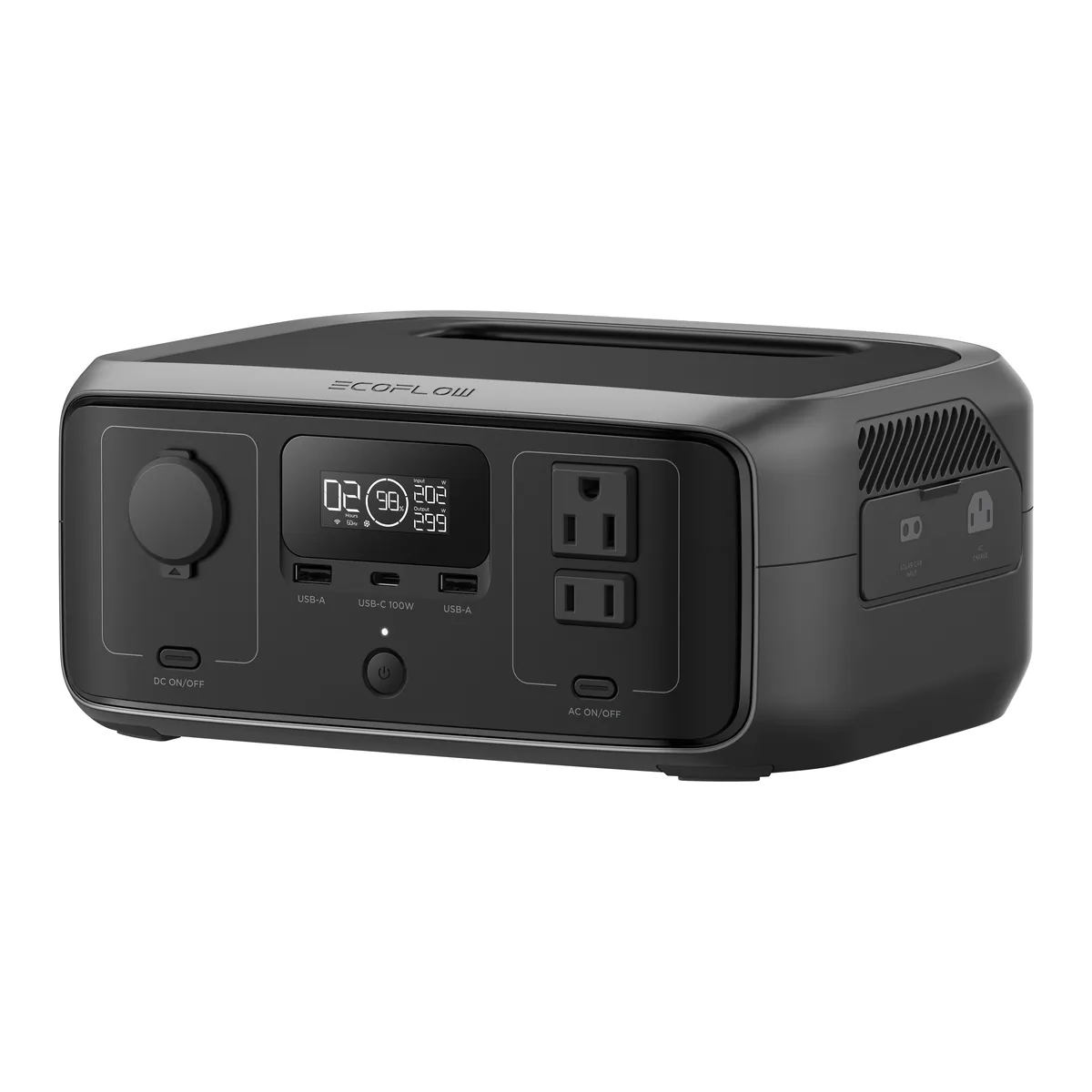
Connect a solar panel to the XT60 solar/car input port using an EcoFlow Solar to XT60i charging cable (sold separately). Before connecting, confirm the panel’s open-circuit voltage is under 30 V. The maximum accepted input is 110 W (11–30 V, 8 A). Official materials list a 0–100% charge time of as fast as 2.6 hours when receiving 110 W. The solar panel and cable are not included in the box.
EcoFlow DELTA 3 Plus
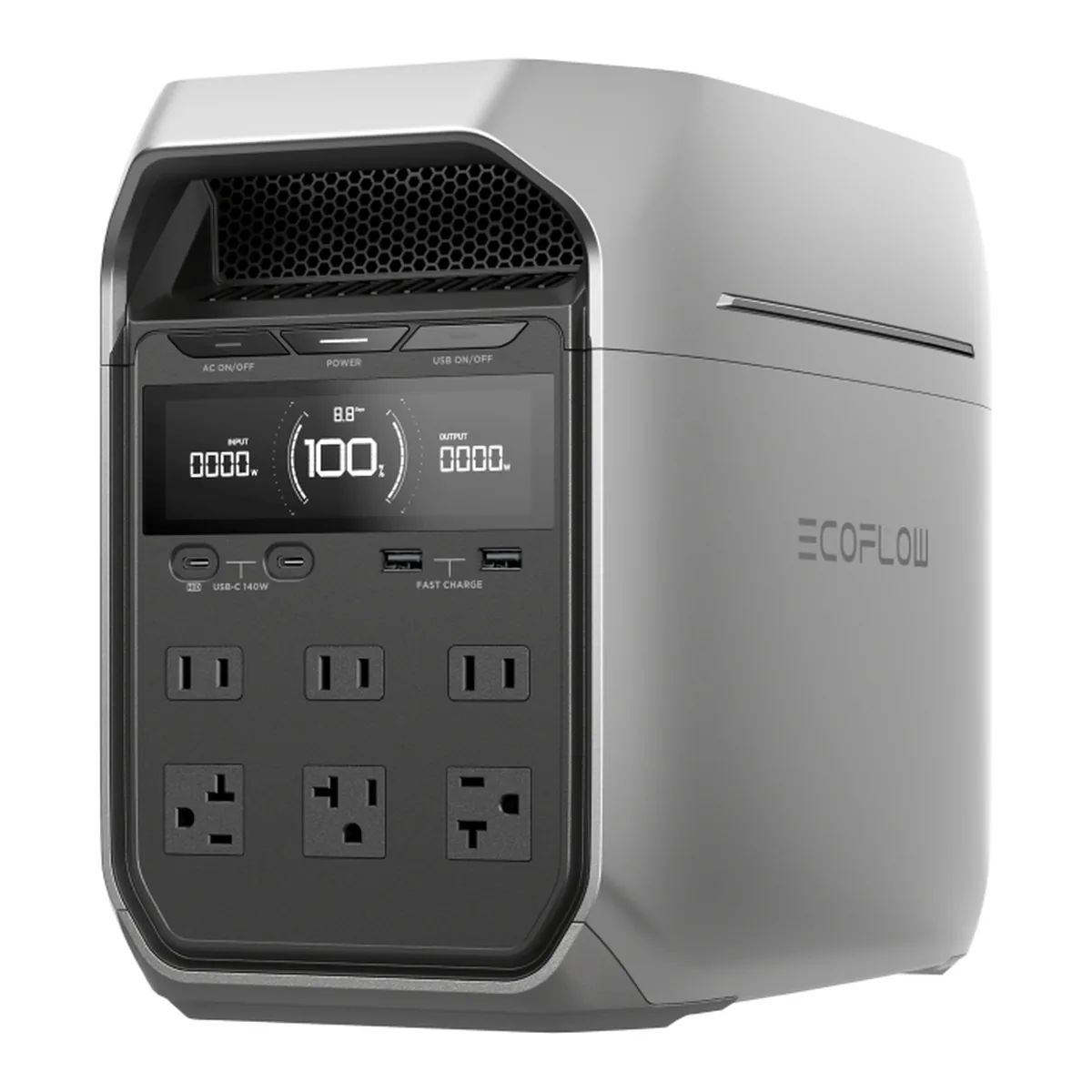
Connect solar panels to the XT60i ports using EcoFlow Solar to XT60i charging cables (sold separately). Stay within 11–60 V and 15 A per port. Each port accepts up to 500 W; the two ports together accept up to 1000 W. Official product information states a full charge in 70 minutes with 1000 W of solar input, even with limited sunlight. You can connect solar and AC at the same time; the station prioritizes solar by default and supplements with AC if solar input is lower. Series or parallel panel connections must stay inside the voltage and current limits—refer to the solar panel’s own manual.
DJI Power 1000 V2
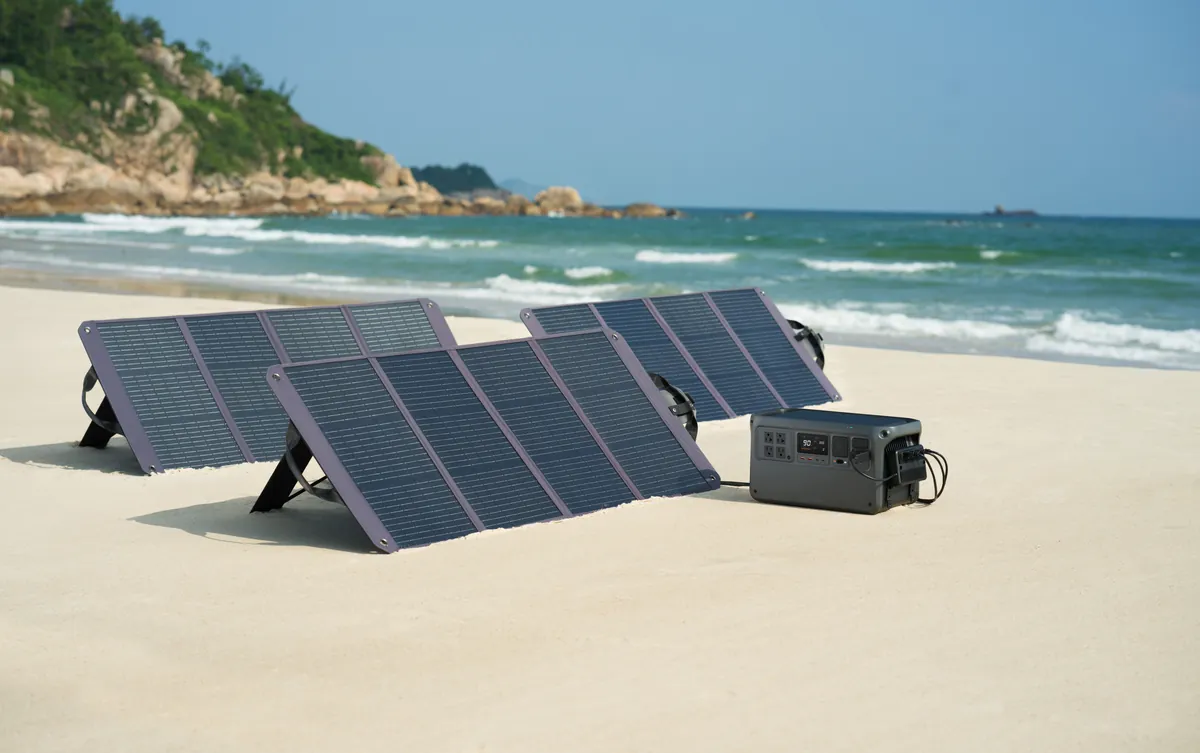
Solar charging requires an official DJI adapter connected to the SDC port. Two options are published:
- DJI Power Solar Panel Adapter Module (MPPT): up to 400 W.
- DJI Power 1.8 kW Solar/Car Super Fast Charger: up to 1800 W solar, or 1200 W solar plus 600 W car power.
The base unit ships with the power station and AC power cable only. Adapters and panels are sold separately. No official pure-solar full-charge time is published for the base unit alone.
What’s in the Box and What You Need
All three stations ship without solar panels or solar cables/adapters.
- RIVER 3: Power station, AC charging cable, manuals and warranty card.
- DELTA 3 Plus: Power station, AC charging cable, manuals and warranty card.
- DJI Power 1000 V2: Power station and AC power cable.
You will need to buy the matching official cable or adapter plus solar panels whose voltage and current stay inside the limits listed above.
Temperature and Placement
Charge all three stations only between 0 °C and 45 °C. They can supply power down to –10 °C. Optimal operating temperature is 20–30 °C where stated. Do not block ventilation openings. In wet conditions, protect the unit (EcoFlow manuals recommend a waterproof bag). Low temperatures can reduce available output power.
Who It’s For
- RIVER 3: Best when you want the lightest option (about 3.5 kg) for small loads and are fine with a 110 W solar ceiling.
- DELTA 3 Plus: Fits when you want a 1024 Wh station that can accept up to 1000 W of solar across two ports and supports solar-plus-AC charging.
- DJI Power 1000 V2: Suits users who prefer DJI’s adapter ecosystem (especially if already using other DJI gear) and want the choice of 400 W or up to 1800 W solar input through official adapters.
FAQ
What does “max solar input” mean?
It is the highest power the station’s solar circuit is designed to accept within the published voltage and current window. Exceeding the voltage limit can damage the unit.
Is a solar panel included?
No. All three base units ship without solar panels or the required solar cables/adapters.
Can I use any solar panel?
Official instructions require the correct EcoFlow or DJI cable/adapter and staying inside the voltage and current limits. They do not list or endorse specific third-party panels.
Can I charge from solar and the wall at the same time?
Yes on the DELTA 3 Plus (solar is prioritized). The RIVER 3 uses one XT60 port for either solar or car charging. DJI supports combined solar and car charging through the 1.8 kW Solar/Car Super Fast Charger.
What about cloudy days?
The DELTA 3 Plus product page notes a 70-minute full charge “even with limited sunlight.” No equivalent official cloudy-day claim is published for the RIVER 3 or DJI Power 1000 V2.
What are the temperature limits?
Charge between 0 °C and 45 °C. Power output is rated down to –10 °C. Optimal range is commonly 20–30 °C.
How long does solar charging take?
RIVER 3: as fast as 2.6 hours at 110 W. DELTA 3 Plus: 70 minutes at 1000 W. DJI: no official pure-solar full-charge time is published for the base unit.
What is the warranty?
RIVER 3: 24 months (US). DELTA 3 Plus: 5 years (US). DJI Power 1000 V2: global support pages list a default of 5 years (certain accessories excluded); some regional store pages list 3 years plus 2 years with app registration. Confirm the wording for your region.
Sources
- EcoFlow RIVER 3 user manual: https://manuals.ecoflow.com/product/river-3
- EcoFlow DELTA 3 Plus user manual: https://manuals.ecoflow.com/us/product/delta-3-plus?lang=en_US
- EcoFlow DELTA 3 Plus US product page: https://us.ecoflow.com/products/delta-3-plus-portable-power-station
- EcoFlow US warranty policy: https://us.ecoflow.com/pages/warranty-policy
- DJI Power 1000 V2 specs: https://www.dji.com/global/power-1000-v2/specs
- DJI Power 1000 V2 support: https://www.dji.com/global/support/product/power-1000-v2