In one minute
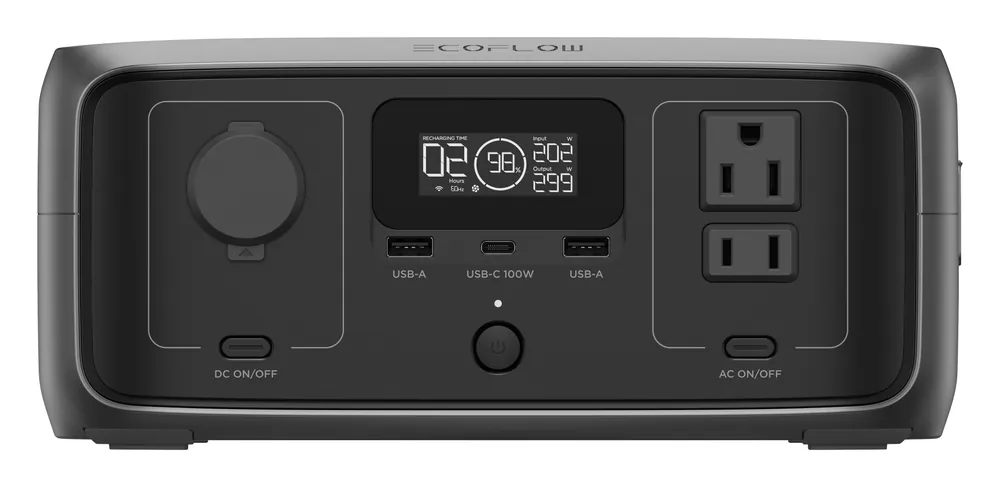
Pick a power station in this order: the watts you run at once, the hours you need, the outlets you plug into, how you’ll recharge, whether it must keep devices on through an outage, whether you’ll want more battery later, and how far you’ll carry it. Every number below comes from the maker’s own US pages, using four current models as worked examples: the 245Wh EcoFlow RIVER 3, the 1,024Wh EcoFlow DELTA 3 Plus and DJI Power 1000 V2, and the 4,096Wh EcoFlow DELTA Pro 3.
As an Amazon Associate I earn from qualifying purchases. The Amazon buttons on this page are affiliate links.
Three size classes
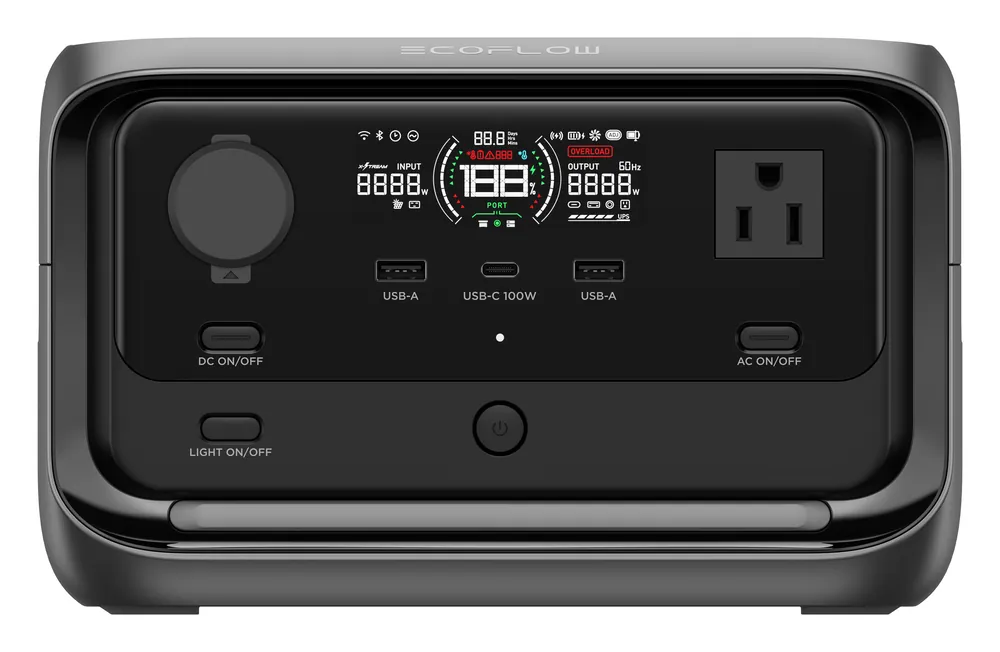
Compact, about 250Wh: light electronics such as phones, laptops and lights, for short use. The RIVER 3 weighs 7.72 lb.
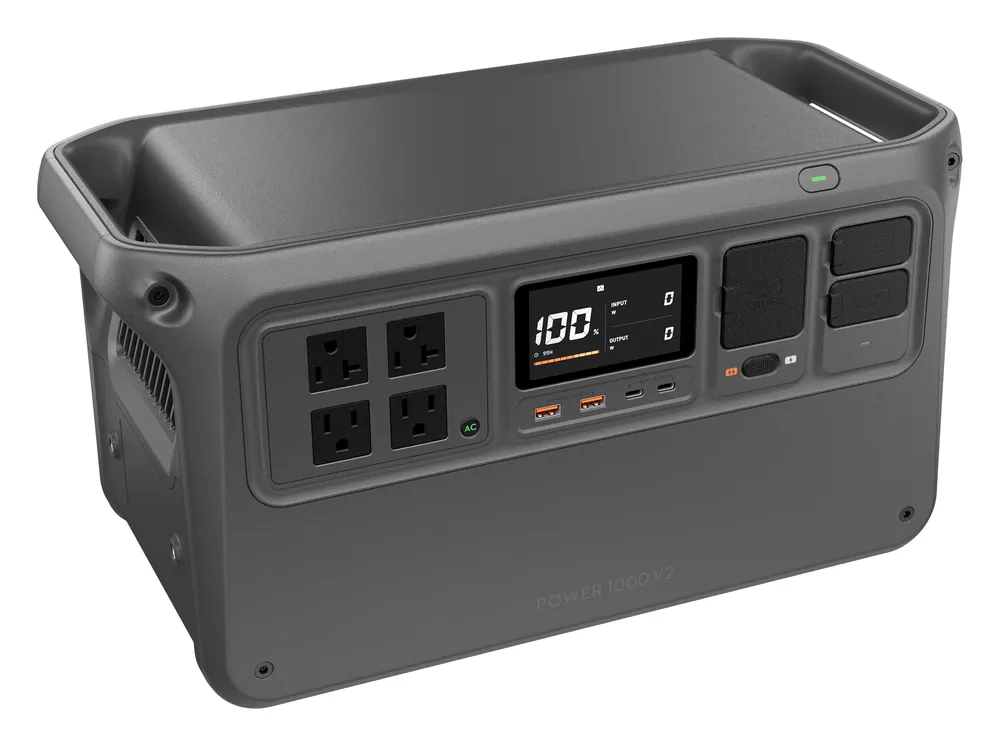
Midsize, about 1kWh: essential mid-watt loads for longer. The DELTA 3 Plus weighs 27.6 lb.
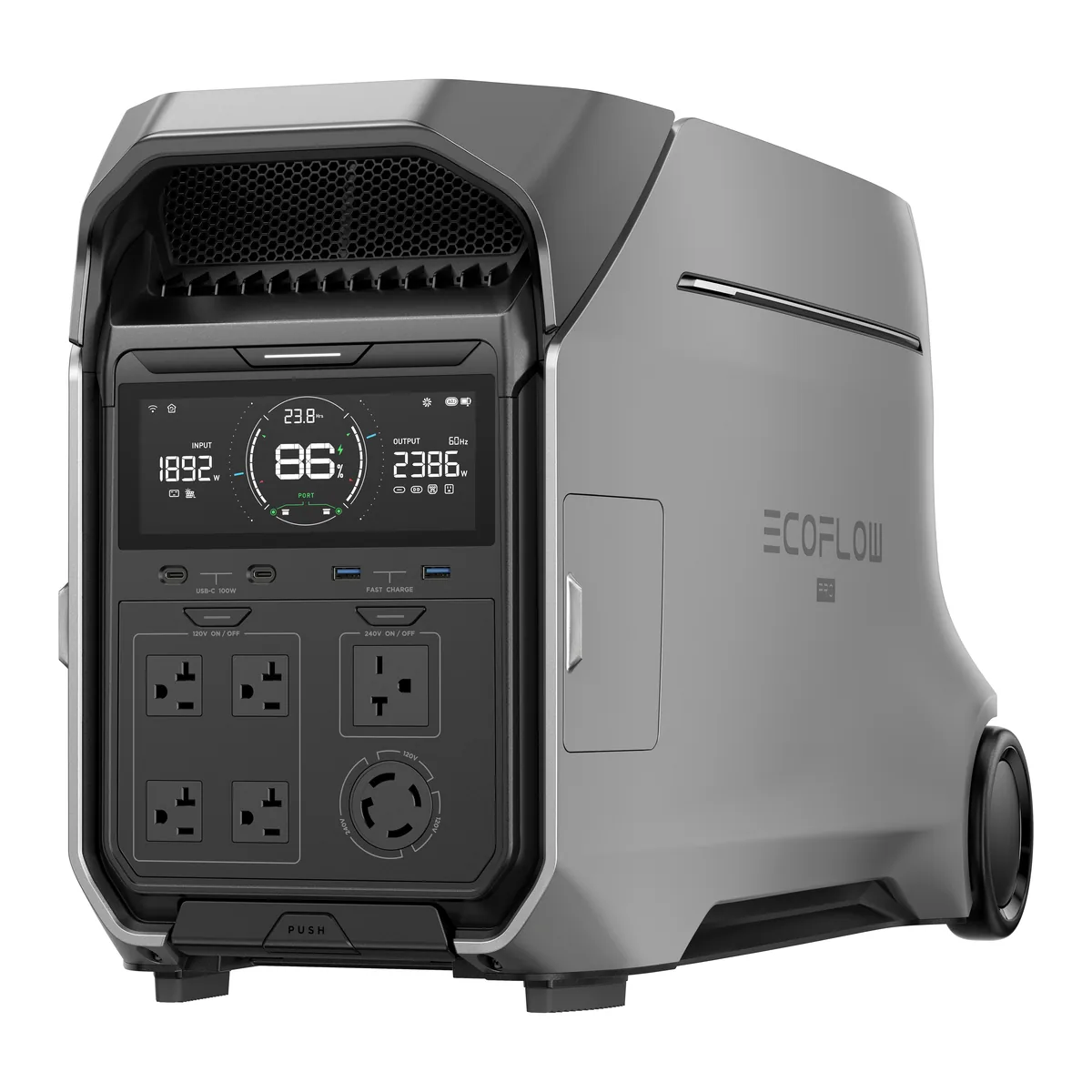
Large, 4kWh and up: longer or higher-watt backup, 240V outlets and home-circuit hookups. The DELTA Pro 3 weighs 113.54 lb.
Weights from EcoFlow’s manuals and product pages. Check your own devices’ watts before you pick a class.
1Add up the watts you run at once
Every device running at the same moment has to fit under the station’s continuous rating. Our examples: RIVER 3 300W, DELTA 3 Plus 1,800W, DJI Power 1000 V2 2,600W (DJI’s 25°C lab test), DELTA Pro 3 4,000W. [1][3][7][5]
Surge covers the brief jolt when a motor starts. Not every maker publishes it: EcoFlow lists 3,600W for the DELTA 3 Plus and 8,000W for the DELTA Pro 3, but no surge figure for the RIVER 3, and DJI doesn’t list one either. [3][5][1]
X-Boost is EcoFlow’s mode for running some heating and motor loads above the rating: up to 600W on the RIVER 3 (on by default), 6,000W on the DELTA Pro 3 (off by default), and either 2,200W or 2,600W on the DELTA 3 Plus, depending on whether you read EcoFlow’s store page or manual. It doesn’t work in bypass and isn’t for devices that need steady voltage. Don’t plan around it. [1][3][4][5]
2Turn hours into watt-hours
Theoretical hours ≈ rated Wh ÷ load in watts. A 100W load on the 245Wh RIVER 3 works out to about 2.45 hours; on a 1,024Wh DELTA 3 Plus or DJI, about 10.2 hours; on the 4,096Wh DELTA Pro 3, about 41 hours. Real runtimes are shorter because of inverter losses and standby draw, and none of these makers publishes a single factor to subtract, so leave yourself a margin. [1][3][7][5]
Capacity also decides weight: about 3.5 kg (7.72 lb) for the RIVER 3, 12.5 kg (27.6 lb) for the DELTA 3 Plus, 14.2 kg for the DJI and 51.5 kg (113.54 lb) for the DELTA Pro 3. [1][3][7][5]
3Count the outlets and ports
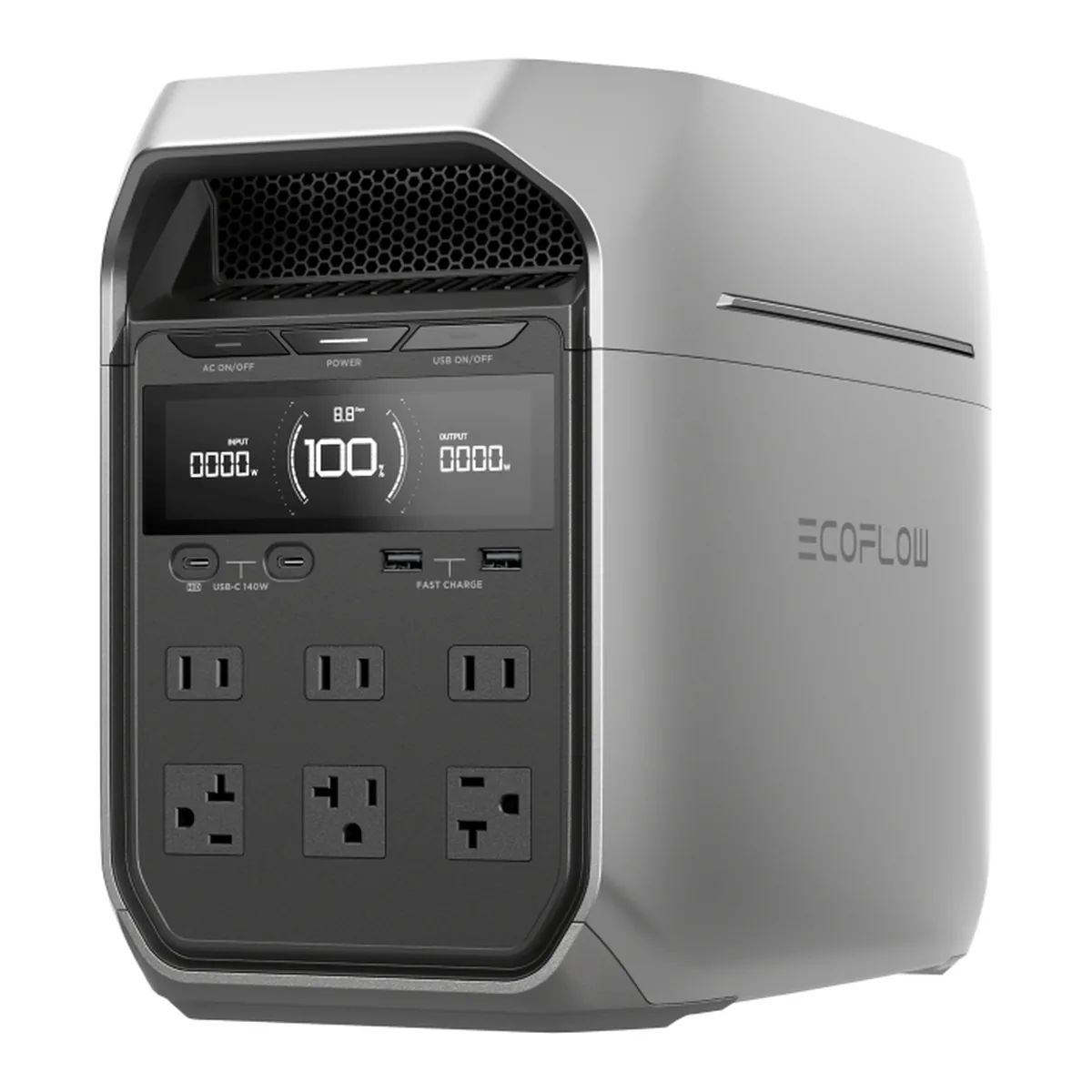
Check the plugs you actually use. The DELTA 3 Plus has 6 AC outlets and 13 outputs in total; the DJI has 4 AC outlets; the DELTA Pro 3 adds TT-30R, 6-20R and L14-30R outlets for RVs and 240V gear. EcoFlow’s RIVER 3 manual says AC socket types and numbers vary by country, so check the US listing for the outlet count. [3][7][5][1]
Read the per-port limits too: the RIVER 3 lists 550W total across all ports but only 300W from AC; the DELTA 3 Plus shares 126W across all its 12V ports; the DJI’s USB-A ports top out at 24W each. [1][3][8]
4Plan how you’ll recharge
| Wall | Solar | Car | |
|---|---|---|---|
| RIVER 3 [1][2] | 320W max; 0–100% in about 1 h | 11–30V, 8A, 110W max | 12/24V, 8A, 100W max; 0–100% in 2.8 h |
| DELTA 3 Plus [3] | 1,500W; 0–100% in 56 min | 2 × 500W, 11–60V | 12V, 8A; optional 800W Alternator Charger |
| DJI Power 1000 V2 [7] | 0–80% in 37 min; 0–100% in 56 min (lab) | Accessory only: 400W MPPT module or 1,800W charger | Accessory: 1kW car charger, or the car-outlet-to-SDC cable |
| DELTA Pro 3 [5] | 0–80% in 50 min (X-Stream) | Up to 2,600W across two ports | Car and alternator charging supported; see EcoFlow’s page for limits |
Solar panels must stay inside the input window. On the RIVER 3, that means under 30V, which rules out many larger panels. [1]
5Decide whether it must bridge an outage
When a station is plugged into the wall with your devices on its outlets, it can switch to battery when the grid drops. How fast varies. EcoFlow’s RIVER 3 manual calls its feature EPS and lists switching within 20 ms, and says not to use it for desktop computers, NAS or servers. The DELTA 3 Plus and DELTA Pro 3 list 10 ms; DJI lists 0.01 seconds in a lab test, with the station on and AC output enabled. None of this powers your house wiring without extra gear, such as EcoFlow’s Smart Home Panel 2 for the DELTA Pro 3. [1][3][5][7]
6Think about more battery later
The RIVER 3 can’t add a battery. The DELTA 3 Plus goes to 5kWh, the DJI to 11,264Wh, and the DELTA Pro 3 to 12kWh on one unit. [1][3][7][5]
7Read the warranty and the limits
EcoFlow lists 24 months for the RIVER 3 and 5 years for the DELTA 3 Plus and DELTA Pro 3. DJI’s is 3 years + 2 more after DJI Home app connection, for purchases through DJI’s official online store; unclear whether Amazon buyers get the extra 2 years. Cycle ratings are lab figures: 3,000 cycles to 80% for the RIVER 3, 4,000 for the other three. EcoFlow’s manuals list charging at 0–45°C and discharging at −10 to 45°C. [9][7][1][4]
The four examples, side by side
| RIVER 3 | DELTA 3 Plus | DJI Power 1000 V2 | DELTA Pro 3 | |
|---|---|---|---|---|
| Capacity | 245Wh | 1,024Wh | 1,024Wh | 4,096Wh |
| Continuous AC | 300W | 1,800W | 2,600W (lab) | 4,000W |
| Outage switchover | EPS, within 20 ms; not for desktops, NAS or servers | Under 10 ms | Within 0.01 s (lab) | 10 ms |
| Max solar | 110W | 1,000W | Accessory only | 2,600W |
| Expansion | None | To 5kWh | To 11,264Wh | To 12kWh |
| Weight | 7.72 lb | 27.6 lb | About 14.2 kg | 113.54 lb |
| US warranty | 24 months | 5 years | 3 years + 2 more after DJI Home app connection, for purchases through DJI’s official online store; unclear whether Amazon buyers get the extra 2 years | 5 years |
Sources for every row are cited in the steps above.
Which example fits you
EcoFlow RIVER 3: for light loads on the go
Phones, laptops and lights; packing light. Skip it for anything over 300W, solar panels above 30V, or keeping a desktop or NAS on. [1]
EcoFlow also sells a separate 10 ms version of the RIVER 3; this button is for the standard model.
Check the RIVER 3 on AmazonEcoFlow DELTA 3 Plus: the midsize all-rounder
Home essentials and car camping, with built-in solar and room to grow. Skip it if you need 240V or more than 1,800W. [3]
Check the DELTA 3 Plus on AmazonDJI Power 1000 V2: midsize with more watts
Higher-watt loads from a 1kWh box, with expansion to 11,264Wh. Skip it if you want solar without buying accessories. [7]
Check the DJI Power 1000 V2 on AmazonDJI’s warranty is 3 years + 2 more after DJI Home app connection, for purchases through DJI’s official online store; unclear whether Amazon buyers get the extra 2 years. DJI ties its “up to 5-year” wording to purchases from its official online store and doesn’t say whether Amazon orders qualify, so keep your receipt.
EcoFlow DELTA Pro 3: for long outages and 240V
Whole-room loads, 240V outlets and home-circuit hookups. Skip it if it has to be carried. [5]
Check the DELTA Pro 3 on AmazonQuestions people ask
How do I work out how many watt-hours I need?
Add up the watts of what you’ll run at once, decide how many hours you need, and multiply. In reverse: theoretical hours ≈ rated Wh ÷ load W. A 245Wh RIVER 3 running a 100W load works out to about 2.45 hours on paper. Real runtime is shorter, and makers don’t publish a single efficiency factor to subtract. [1]
What’s the difference between continuous watts, surge and X-Boost?
Continuous watts is what the station can supply steadily; every device running at once must fit under it. Surge is a short peak for motor starts, and not every maker publishes one (EcoFlow doesn’t for the RIVER 3). X-Boost is EcoFlow’s mode for running some heating and motor loads above the rating at reduced voltage; it isn’t available in bypass and isn’t for devices that need strict voltage. [1][4][6]
Will a power station keep my computer on during an outage?
Only if the switchover is fast enough and the maker says it’s suitable. EcoFlow’s RIVER 3 manual calls its feature EPS, switching within 20 ms, and says not to use it for desktop computers, NAS or servers. The DELTA 3 Plus and DELTA Pro 3 list 10 ms, and DJI lists 0.01 seconds in a lab test. [1][3][5][7]
Still unknown
- RIVER 3 US outlet count: not in the US manual, so we don’t state one.
- DJI dimensions and operating temperatures: not on the DJI pages we could load.
- What’s in each box beyond the station, AC cable and documents: confirm on the current listing; solar, extra batteries and DJI chargers are sold separately.
As an Amazon Associate I earn from qualifying purchases.
Sources
- [1] EcoFlow RIVER 3 US user manual
- [2] EcoFlow RIVER 3 series page (US)
- [3] EcoFlow DELTA 3 Plus US product page
- [4] EcoFlow DELTA 3 Plus US user manual
- [5] EcoFlow DELTA Pro 3 US product page
- [6] EcoFlow DELTA Pro 3 US user manual
- [7] DJI Power 1000 V2 US store page, specs and FAQ
- [8] DJI Power 1000 V2 user manual v1.0 (PDF)
- [9] EcoFlow US Limited Warranty policy
By Mike E. · Updated November 12, 2026 · Based on the makers’ official US pages, manuals and warranty policies. Not tested hands-on.
Next: Best for home backup · Best for camping · Best for a CPAP · Best for an RV · How to solar-charge · How to charge from a car · All comparisons